 Draw on a Map
Need to mark a delivery area, route, or meeting point and send it now? Start with a blank map. If you already have a map file, import it and continue editing.
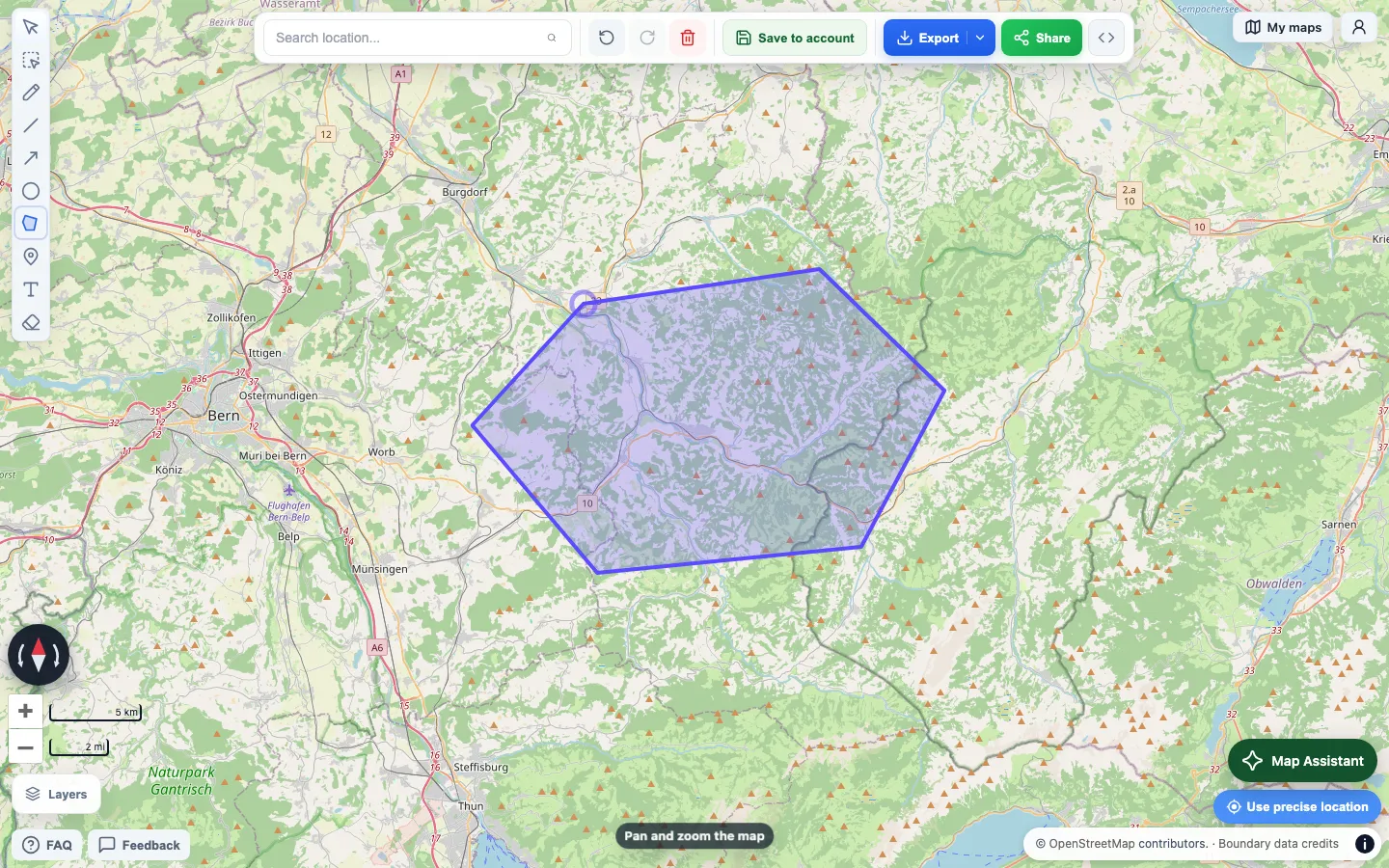
This is a real map made in Draw on a Map. Draw the boundary, select Share, and send the link.
Draw and share a map
- Open a blank map.
- Search for the place.
- Use the line, polygon, circle, marker, or text tool.
- Select Share and copy the link.
You do not need an account for this flow. The person who opens the link does not need one either.
Use this for a route, event boundary, delivery zone, meeting point, or any other visual note that is hard to explain in text.
Move an existing map
Export your map from Scribble Maps if it contains work that you want to keep. Draw on a Map can import KML, KMZ, GeoJSON, GPX, CSV, TSV, and XLSX files.
After the import, check the result before you share it. Complex styles, unsupported data, and some file-specific details might not transfer exactly.
Which tool fits your job?
| Your job | Better fit |
|---|---|
| Draw a quick route or area and send a link | Draw on a Map |
| Make a standard map without an account | Draw on a Map |
| Import KML, KMZ, GeoJSON, GPX, or spreadsheet data | Try either tool and check the result |
| Use heatmaps, WMS or TMS layers, or analysis tools | Scribble Maps |
| Work with a wider set of GIS data and basemaps | Scribble Maps |
Scribble Maps is the stronger choice for a deeper GIS-style workspace. Its official product page lists spreadsheet import, analysis, heatmaps, WMS, and TMS tools. Plans and limits can change, so check its current feature list before you choose it for a paid workflow.
Draw on a Map is narrower. It uses OpenStreetMap as its map base and does not import every GIS format. It is made for the shorter job: draw or import a map, make a clear visual change, and share the result.
Related guide
Embed a map on your website explains how to put a finished map on a page with an iframe.